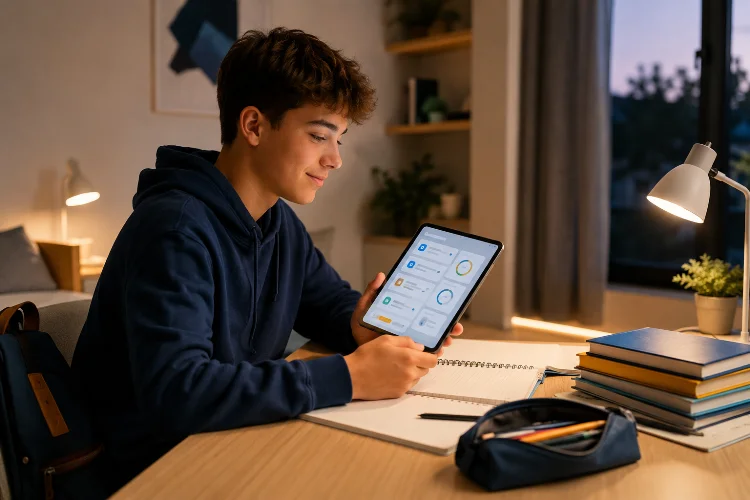
Homework can become stressful surprisingly fast. One forgotten worksheet turns into two unfinished assignments, a deadline suddenly feels much closer than expected, and students end up spending more time figuring out what they need to do than actually doing it.
Educational apps can make that routine easier to manage.
Instead of relying on memory, paper notes, and several different classroom messages, students can use digital tools to see assignments, check deadlines, organize tasks, receive reminders, review resources, and monitor completed work in one place.
Google Classroom, for example, allows learners to review assignments, due dates, grades, and work that is missing or late.
Understanding how educational apps can improve homework routines is not about putting every part of studying on a screen. Good apps reduce unnecessary organization work so students can focus more attention on learning.
The key is using technology as a supportive system rather than another source of distractions, notifications, and complicated menus.
1. Apps Put Homework Tasks in One Clear Place
One common homework problem is simply losing track of what needs to be done.
A student may receive mathematics homework in class, a science assignment through an online platform, and a history deadline written in a notebook. When tasks are scattered across different places, forgetting something becomes much easier.
Educational apps can provide a central homework view.
A student might open the app and immediately see:
Math Exercise – Due Tuesday
Science Report – Due Thursday
History Reading – Due Friday
Platforms such as Google Classroom allow students to view classwork alongside due dates and identify work that is late or missing. Microsoft Teams for Education similarly allows teachers to create assignments with timelines, instructions, and resources attached.
That simple visibility can make homework feel less chaotic.
Students know what exists before deciding what to tackle first.
2. Due Dates Help Students Plan Instead of Cram
Knowing that an assignment exists is only half the problem.
Students also need to understand when it needs to be finished.
Digital calendars and assignment timelines make upcoming work easier to see across several days instead of treating every task as an isolated deadline.
For example, imagine a student has three assignments due this week.
Instead of waiting until Thursday night, they could plan:
Monday: Research science topic
Tuesday: Finish mathematics
Wednesday: Draft science report
Thursday: Review history notes
Microsoft Planner’s schedule view, for example, organizes tasks by start and due dates so users can see upcoming work and notice busy periods.
Planning ahead can turn homework from an emergency into a routine.
The app does not complete the work, of course. It simply makes the workload visible early enough for the student to make better decisions.
3. Reminders Can Support More Consistent Homework Habits
Students sometimes forget assignments not because they are careless, but because everyday schedules are busy.
A carefully timed reminder can help.
An educational app might send:
Science worksheet due tomorrow
or:
You planned a 20-minute math session for 7 PM
The important part is keeping reminders useful rather than excessive.
Google Classroom gives users control over whether they receive email notifications about updates to their classes. That kind of control matters because students have different preferences and schedules.
A useful reminder can become a regular study cue.
For example, if a student completes homework at roughly the same time each evening, a reminder shortly before that period can help reinforce a consistant routine.
But ten notifications about the same assignment will probably create annoyance instead of motivation.
Smart homework support should guide attention, not constantly interrupt it.
4. Breaking Big Assignments Into Smaller Tasks Makes Them Less Intimidating
“Write a 2,000-word research report” can feel overwhelming.
A better digital workflow turns that assignment into smaller steps.
The app might show:
Choose topic
Find three reliable sources
Create outline
Write first draft
Edit
Submit
The assignment has not become easier academically, but it has become easier to approach.
Task-management systems can support this style of organization by allowing work to be grouped according to progress, due dates, priorities, and other categories. Microsoft Planner, for example, supports task grouping and visual progress tracking.
Small steps also create more frequent moments of completion.
Finishing the research stage feels achievable even if the final project is still several days away.
This can be particularly useful for students who tend to procrastinate because they are unsure where to begin.
The first step becomes obvious.
5. Progress Tracking Makes Completed Work Visible
Homework can feel endless when students focus only on what remains unfinished.
Progress tracking changes that perspective.
A homework dashboard might show:
7 of 10 weekly tasks complete
That information reminds students that they have already made meaningful progress.
The same idea can work inside larger projects. A student could mark research as complete, move the draft into “in progress,” and leave editing for later.
Microsoft Planner supports visual task management and progress tracking, allowing users to see how work moves toward completion.
However, students should not become obsessed with filling progress bars.
Completing an assignment quickly is not always the same as completing it carefully.
Progress indicators work best as organizaton tools. They help answer:
What have I finished?
What still needs attention?
That clarity can make homework sessions easier to start and end.
6. Digital Resources Reduce Time Spent Searching for Materials
Homework often requires more than an assignment title.
Students may need instructions, readings, slides, worksheets, videos, examples, or reference materials.
When those resources are attached directly to the task, students spend less time hunting for them.
Microsoft Teams for Education allows teachers to add instructions and resources when creating assignments.
Consider a science assignment about ecosystems.
Instead of telling students to remember which worksheet was distributed three days ago, the homework page could include the instructions, reading material, diagram, and submission link together.
This is a small UX improvement with a practicle benefit.
Students can move from seeing the task to doing the task with fewer interruptions.
It also helps when students study away from school and cannot simply ask the teacher where a missing handout went.
7. Feedback Can Turn Homework Into More Than Task Completion
Homework is most useful when students learn something from it.
Submitting twenty mathematics problems and receiving only a score may tell students how they performed, but it does not necessarily explain where they went wrong.
Useful digital feedback can close that gap.
The Education Endowment Foundation’s evidence review treats feedback as an important educational approach, while also emphasizing that implementation and context affect its impact.
A digital homework system might show:
Question 6 incorrect. Check how you converted the fraction before multiplying.
That gives the student something to act on.
Teachers can also return comments on writing, project drafts, or submitted assignments through digital classroom systems.
Feedback becomes especially valuable when students are allowed to review mistakes rather than simply recieve a final mark.
Homework then becomes part of the learning cycle:
Attempt → Feedback → Correction → Improvement
instead of:
Finish → Submit → Forget
8. Homework Apps Can Support Self-Regulated Learning
Eventually, students need to manage more of their own learning.
Digital tools can support that transition by helping learners set goals, monitor progress, choose resources, and decide what to work on next.
OECD research on self-regulated learning highlights processes in which learners make choices, use resources, respond to feedback, and regulate their approach during extended learning tasks.
A student preparing for an exam might notice that mathematics homework is complete but vocabulary review has been neglected.
Instead of waiting for a teacher to point this out, the dashboard can make the imbalance visible.
The student then decides what needs attention.
This distinction is important.
The best educational apps should not create students who can only work when software tells them exactly what to do. They should gradually support better planning and independent decision-making.
Technology can provide the structure while the learner develops the habit.
9. Educational Apps Should Support Homework, Not Increase Screen Time
There is one obvious risk with using apps for homework: the device also contains entertainment.
A student opens a learning app and, thirty seconds later, notices a social media notification.
That is why simple homework interfaces matter.
The app should make the next task obvious without encouraging endless browsing.
The evidence around homework itself also deserves some perspective.
The Education Endowment Foundation reports that homework has a positive average impact, with stronger evidence of benefit for secondary learners, but effectiveness depends on factors such as task quality, purpose, feedback, and implementation.
In other words, digitizing poor homework does not make it good homework.
A repetitive worksheet remains repetitive when moved onto a smartphone.
Educational technology works best when it supports meaningful assignments, sensible workloads, and clear learning objectives.
Educational apps can improve homework routines by making assignments easier to find, deadlines easier to understand, and larger projects easier to break into manageable steps.
Reminders can support regular study habits, progress tracking can show what remains unfinished, attached resources reduce searching, and digital feedback can turn mistakes into opportunities to improve.
Apps can also help students gradually develop planning and self-regulation skills. But technology should simplify homework, not make it more complicated.
If you are choosing or designing a homework app, start with one basic test: can a student open it and understand what needs to be done, when it is due, and what the next step is within a few seconds?
When those answers are clear, the app is already doing something valuable.