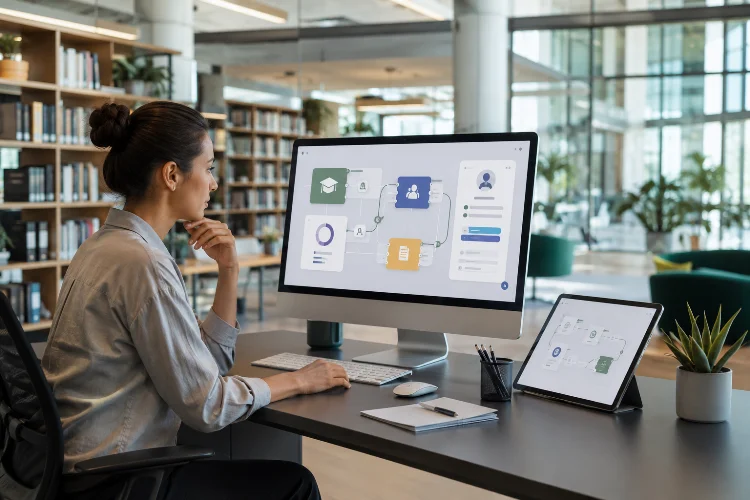
Schools rarely use just one piece of educational software. A student might open the school learning management system, complete a mathematics activity in another app, watch content from a digital publisher, and take a quiz through yet another platform.
Without integration, that experience can become messy very quickly.
Students may need several usernames, teachers may have to create the same classes repeatedly, and grades from an external app may need to be copied manually into the main gradebook. Integration is designed to remove much of that duplicated work.
Understanding how learning apps integrate with school LMS platforms means looking at the technologies that allow separate educational systems to communicate.
Standards such as Learning Tools Interoperability, or LTI, can connect external learning tools with an LMS and securely pass information such as user roles and enrollment context.
Other approaches include APIs, roster synchronization, single sign-on, and automated grade exchange.
The result should feel simple to learners even when several systems are working behind the scenes.
1. Start With the LMS as the Main Learning Hub
A Learning Management System, or LMS, usually acts as the central digital classroom.
Teachers may use it to organize courses, publish lessons, distribute assignments, collect student work, record grades, and communicate with learners. External educational apps can then add specialized features that the main LMS does not provide.
For example, a school might use its LMS for course organization but connect an external app for mathematics practice.
Instead of telling students to leave the LMS, visit another website, create another account, and search for the correct activity, the teacher can place the mathematics tool directly inside the course.
Moodle’s External Tool feature, for example, allows LTI-compatible resources and activities hosted on other websites to be added to Moodle courses. Canvas similarly supports external applications through LTI integrations.
The student sees one learning journey even though several systems may be involved.
2. LTI Creates a Common Connection Between Learning Tools
One of the most important standards in educational software integration is Learning Tools Interoperability (LTI).
LTI is maintained by 1EdTech Consortium. It provides a standardized way for external learning applications and LMS platforms to connect instead of requiring developers to build a completely different integation for every LMS.
Imagine a science simulation app.
If the app supports LTI and the school’s LMS does too, a teacher may be able to add the simulation as an external course activity.
When a student launches it, the LMS can securely provide relevant context, such as which course the learner belongs to and whether that person is a student or instructor.
What LTI Advantage Adds
LTI 1.3 and LTI Advantage expand this connection with services that can support workflows such as deep linking to content, exchanging names and roles, and sending scores back to an LMS gradebook.
This makes external apps feel less like separate websites and more like extensions of the school’s existing learning environment.
3. Single Sign-On Removes Repeated Logins
Few things make educational technology feel fragmented faster than repeated login screens.
A student opens the school LMS, selects an activity, and then gets asked to create another account on another website.
Integration can reduce that friction.
With an LTI-enabled workflow, students can launch compatible external tools from their learning platform without separately logging into every connected application.
1EdTech describes this as one of LTI’s core benefits, allowing tools to use authorization and contextual information from the learning environment.
From the learner’s perspective, the process might simply be:
Open Course → Select Activity → Start Learning
That matters because every additional username, password, and setup screen creates another opportunity for confusion.
Single sign-on also helps teachers because they spend less time explaining which account students should use.
The technology behind authentication can be complicated. The student experience should not be.
4. Roster Syncing Keeps Classes Up to Date
Imagine a school with 1,500 students.
Manually creating every student account inside every learning app would be extremely inefficient.
Roster integration solves this problem by allowing class and enrollment information to move between school systems.
One widely used education standard for this purpose is OneRoster from 1EdTech. OneRoster supports exchanging roster information, learning resources, and grades between systems through CSV files or REST-based web services. The current published version is OneRoster 1.2.
For example, when a new student joins Class 8B, the school’s central system could update connected applications rather than requiring teachers to manually create the student in every app.
If someone leaves the class, that enrollment can also be updated.
This keeps digital classrooms more consistant with the school’s real class lists.
Roster synchronization is especially valuable when schools use many apps across multiple subjects.
5. Assignments Can Flow Between Platforms
A useful integration does more than connect users.
It can also connect learning workflows.
Imagine a teacher creating an interactive vocabulary assignment inside a specialized language app. A strong integration could allow that activity to appear inside the school’s main classroom platform without requiring the teacher to recreate the assignment manually.
Google Classroom provides APIs that developers can use to work with course work, student submissions, course materials, students, teachers, and other classroom resources.
Microsoft Graph provides education APIs that can interact with assignments throughout their lifecycle in Microsoft Teams for Education.
These APIs allow developers to create deeper integrations when a standard integration alone does not cover the required workflow.
The practical goal is simple:
Create something once and make it available where teachers and students already work.
Less duplicate data entry means more time can stay focused on teaching and learning.
6. Grades Can Sync Back Into the LMS
Grade synchronization is one of the most useful integration features for teachers.
Suppose students complete a ten-question quiz in an external mathematics application.
Without integration, the teacher might need to open that app, download the scores, open the LMS gradebook, and manually copy each result.
With a connected system, scores can potentially flow back automatically.
LTI Advantage includes Assignment and Grade Services, which can synchronize grades, progress information, and comments from external tools into an LMS gradebook.
OneRoster can also support gradebook information exchange between systems.
Other platforms expose their own APIs. Microsoft Graph’s education APIs, for example, can retrieve assignment and grade information for classes and students.
Google Classroom’s API likewise provides access to student submissions and coursework-related workflows.
Automatic grade exchange reduces repetitive work and lowers the chance of errors caused by copying results manually.
7. APIs Allow More Customized Integrations
Standards are useful because they give many systems a common way to communicate.
But schools and app developers sometimes need more customized functionality.
That is where Application Programming Interfaces, or APIs, become important.
An API allows one software system to request or update information in another system according to defined rules.
Google’s Classroom API, for example, exposes resources related to courses, coursework, student submissions, rosters, topics, and rubrics. Microsoft Graph’s education APIs provide resources for school rosters, classes, assignments, and submissions.
A school analytics platform might use an API to pull assignment information into a reporting dashboard.
Another app could create course activities automatically.
APIs provide flexibility, but they also require careful development, permissions, authentication, testing, and maintenance.
A custom connection that works today may need updating when either platform changes its API.
That is one reason standardized approaches can be attractive whenever they fit the school’s needs.
8. Integration Can Make the Student Experience Much Simpler
Students should not need to understand LTI, REST APIs, authentication tokens, or roster services.
They should simply see their course.
A well-integrated experience might look like this:
A student logs into the school’s LMS, opens Biology, selects a genetics simulation, completes the activity, returns to the lesson, and later sees the result in the normal course gradebook.
Several systems may have exchanged data behind the scenes, but the learner experiences one connected workflow.
This is one of the main benefits of interoperability.
1EdTech describes LTI as a way to reduce access burdens for students and classroom-management work for instructors while supporting interaction between external solutions and learning platforms.
Good integration therefore is not impressive because students notice it.
It is impressive because they barely notice it at all.
9. Security and Data Sharing Still Need Careful Attention
Connecting systems also means exchanging information.
That requires careful decisions about which data an external application actually needs.
A quiz tool may need to know a student’s course context and identity to record results. It probably does not need unlimited access to every record the school holds.
LTI 1.3 was designed with stronger modern security mechanisms than earlier versions, while LTI itself supports secure transmission of contextual information such as users, roles, and enrollments.
Schools should review app permissions, vendor privacy practices, security settings, and the type of student data being exchanged before activating an integration.
The principle should be straightforward:
Give an application the information it genuinely needs, and no more than necessary.
Integrations should also be reviewed periodically. An app that is no longer used should not remain connected forever simply because nobody remembered to remove it.
10. Good Integration Reduces Work Instead of Creating More
The best test of an LMS integration is not how technically sophisticated it sounds.
Ask whether it actually simplifies the workflow.
Does the student avoid another login?
Does the teacher avoid recreating classes?
Do assignments appear in the right course?
Do grades syncronize correctly?
Can administrators manage the connection reliably?
If an integration still requires teachers to copy grades manually, create every student twice, and troubleshoot logins every week, it is not solving enough of the original problem.
Standards such as LTI and OneRoster exist specifically to reduce fragmentation across educational technology systems.
The real objective is interoperability: different products working together without forcing schools to redesign their entire workflow around each new application.
Learning apps integrate with school LMS platforms by exchanging information about users, courses, assignments, grades, and learning activities through standards and APIs.
LTI can provide secure connections between external learning tools and an LMS, while OneRoster helps exchange roster and grade information.
Platform APIs from systems such as Google Classroom and Microsoft Graph can support more specialized workflows.
When everything works properly, students get fewer logins, teachers spend less time copying information, and learning activities fit more naturally into existing courses.
If you are evaluating a new learning app for a school, do not look only at its features. Ask how it connects with your existing LMS, what standards it supports, what student information it needs, and whether grades and rosters can move automatically.
Great educational software becomes far more useful when it can work smoothly with the tools a school already uses.