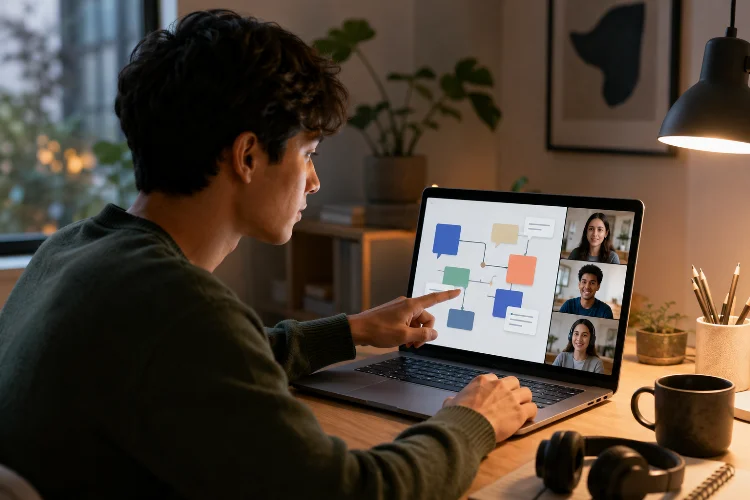
Online learning does not have to mean sitting alone in front of a screen.
A student in Jakarta can edit a presentation with classmates from home, another group can discuss a science problem through a class forum, and students in different locations can contribute to the same project without being online at exactly the same time.
Learning apps make these interactions increasingly practical. Understanding how learning apps support student collaboration online means looking beyond chat boxes and video meetings.
Effective digital collaboration includes shared documents, group assignments, discussion spaces, peer feedback, brainstorming tools, project management, and clear communication between learners.
UNESCO describes collaboration as an important direction in modern learning because it shifts students away from purely teacher-centered instruction toward greater participation and interaction.
Technology does not automatically create meaningful teamwork, though. Students still need clear goals, responsibilities, and guidance.
When digital tools are combined with thoughtful learning design, they can make collaboration possible beyond the physical classroom and give students more ways to learn from one another.
1. Shared Workspaces Let Students Build Something Together
One of the simplest forms of online collaboration is a shared digital workspace.
Instead of four students creating four separate documents and trying to combine them later, everyone can contribute to the same file.
A group preparing a history presentation might divide responsibilities. One student researches the background, another finds primary sources, another organizes the slides, and the final student checks the overall argument.
Google Classroom integrates with tools such as Google Docs, Slides, Sheets, and Drive, allowing educational materials and student work to move through the same digital environment.
Microsoft Teams also allows users to collaborate on documents in real time and organize shared files in a central workspace.
The major advantage is visibility.
Students can see how the project develops instead of waiting until everyone finishes their own section.
2. Group Assignments Give Collaboration a Clear Purpose
Putting students into the same chat room does not automatically create teamwork.
Collaboration works better when learners have a shared task.
For example, instead of asking every student to write an individual report about renewable energy, a teacher could assign groups to design a realistic energy plan for a fictional town.
Students would need to research solar, wind, hydroelectric, and other options, compare costs, discuss trade-offs, and agree on a recommendation.
The collaboration now has a purpose.
Microsoft Teams for Education supports collaboration groups where several students can work toward a single assignment submission.
This type of structure encourages learners to communicate because the final result depends on their combined work.
Teachers should still define expectations carefully.
Who researches? Who edits? Who presents? How are decisions made?
Clear roles can prevent one student from doing everything while everyone else quietly watches.
3. Discussion Tools Give More Students a Voice
Classroom discussions can move quickly.
Confident students may answer immediately, while quieter learners may need more time to think before speaking.
Online discussion spaces create another option.
A teacher might post:
“Should artificial intelligence be allowed to make important medical decisions? Explain your reasoning.”
Students could respond during the day, read classmates’ arguments, and reply after thinking about different perspectives.
This asynchronous format gives learners more time to organize their ideas.
Digital education platforms can support discussion through forums, comments, channels, blogs, or similar spaces. UNESCO describes platforms such as Colombia Aprende as providing forums, chat, blogs, and wikis for collaboration and knowledge sharing.
The teacher can improve the quality of discussion by asking open-ended questions instead of questions with obvious one-word answers.
A strong discussion tool should encourage students to explain, compare, disagree respectfully, and build on other people’s ideas.
4. Peer Feedback Can Turn Students Into Active Reviewers
Students do not always need to receive feedback only from the teacher.
Peer review can help learners examine work from another perspective.
Suppose students are writing short essays.
Instead of submitting the first draft immediately, each learner could review a classmate’s work using three questions:
Is the main argument clear?
Which example is strongest?
Where does the explanation need more detail?
The reviewer practices critical thinking while the writer receives another perspective.
Learning apps can simplify this process by keeping drafts, comments, rubrics, and revisions together.
Shared digital documents are especially useful because feedback can be connected directly to a specific sentence or section instead of being sent seperately.
Peer review needs guidance, however.
Simply telling students to “give feedback” may produce comments such as “Looks good.”
Providing a clear rubric or several focused questions makes the activity much more useful.
5. Real-Time Communication Supports Fast Teamwork
Some activities work better when students can communicate immediately.
Video meetings, class chats, collaborative whiteboards, and live editing allow groups to make decisions without waiting several hours between messages.
For example, students planning a business project could meet online for twenty minutes, brainstorm ideas on a shared whiteboard, divide responsibilities, and then continue working independently.
Microsoft Teams for Education combines video collaboration, chat, assignments, notes, and class materials within its education environment. Microsoft Whiteboard also supports real-time brainstorming, planning, and problem solving on a shared digital canvas.
Real-time collaboration can feel energetic, but it should not become the only option.
Students may have different schedules, internet connections, devices, or personal responsibilities.
A good learning app supports both synchronous and asynchronous teamwork.
That flexibility keeps online colaboration from depending on everyone being available at exactly the same moment.
6. Asynchronous Collaboration Makes Group Work More Flexible
One of the biggest advantages of digital teamwork is that collaboration does not always need to happen live.
Imagine four students working on a project.
One contributes research in the morning. Another edits the document after school. A third leaves comments that evening, and the final student updates the presentation the next day.
The project continues even though everyone works at different times.
This is particularly useful in online courses, international programs, and situations where learners have different schedules.
Files, discussion boards, task lists, comments, and shared documents can preserve the conversation so students know what happened while they were offline.
OECD research notes that digital resources can support student engagement and collaboration when they are used effectively and aligned with sound teaching practices.
The word effectively matters.
A digital tool should make coordination easier rather than forcing students to monitor five different apps just to understand what their group is doing.
7. Collaborative Tools Can Support Problem-Solving
Some of the strongest online teamwork happens when there is no single obvious answer.
Consider a geography lesson where students must choose the best location for a new hospital.
They receive information about population density, roads, flooding risk, travel time, and construction costs.
Each student can analyze part of the problem, but the group needs to combine the evidence before making a final recommendation.
Digital collaboration tools allow students to share findings, compare options, and document their reasoning.
OECD research on digital technologies emphasizes that successful educational use depends on thoughtful pedagogy rather than simply giving students access to technology.
That is especially true for group learning.
A shared document is only a container. The quality of the question determines whether students simply divide the work or genuinely think together.
Tasks involving debate, decision-making, investigation, and design usually create stronger collaboration than assignments that can easily be completed alone.
8. Teachers Can Monitor Group Progress Without Taking Over
Online group projects can create a familiar problem:
Is everyone actually participating?
Digital platforms can make the process more visible.
Teachers may be able to review submitted work, follow discussion threads, inspect shared documents, and see how projects are developing.
That does not mean teachers should monitor every sentence students type.
Instead, visibility allows them to step in when necessary.
If one group has not started, the teacher can ask what is blocking progress. If students are debating an important concept, the teacher can provide a hint without giving away the answer.
Learning apps therefore allow teachers to move between facilitator and instructor roles.
The aim is to give students enough independence to collaborate while keeping support available when groups become stuck.
This balance is important. Too little guidance can create confusion, while too much control turns group work back into teacher-directed instruction.
9. Good Collaboration Needs Structure, Not Just Features
A learning app can have chat, video calls, document sharing, group assignments, forums, and digital whiteboards and still produce poor collaboration.
Technology provides the space.
Instructional design creates the experience.
Students need to understand the goal, the deadline, their responsibilities, what successful teamwork looks like, and how their contribution will be assessed.
Schools should also avoid overwhelming learners with too many collaboration platforms.
Using one app for chat, another for files, a third for assignments, and a fourth for discussion can make coordination harder.
UNESCO’s work on technology and collaborative education repeatedly emphasizes that digital transformation requires thoughtful planning and meaningful use rather than technology adoption for its own sake.
Simple workflows are usually better.
Students should spend their mental energy discussing the subject, solving the problem, and building something together-not trying to remember which platform contains the latest version of a file.
A consistant digital environment makes teamwork easier to understand.
Learning apps can expand student collaboration far beyond the physical classroom.
Shared documents allow students to build projects together, discussion spaces support thoughtful conversation, peer feedback creates new learning opportunities, and group assignments give teamwork a clear purpose.
Real-time tools make quick communication possible, while asynchronous features allow learners to contribute according to different schedules.
However, technology alone does not create effective collaboration. Students still need meaningful tasks, clear roles, sensible deadlines, and teacher guidance.
If you are designing an online course, start with one activity that students genuinely benefit from completing together. Then choose the simplest digital tools needed to support it.
The best collaborative learning apps should make working with classmates feel easier-not turn teamwork into another technical problem students need to solve.