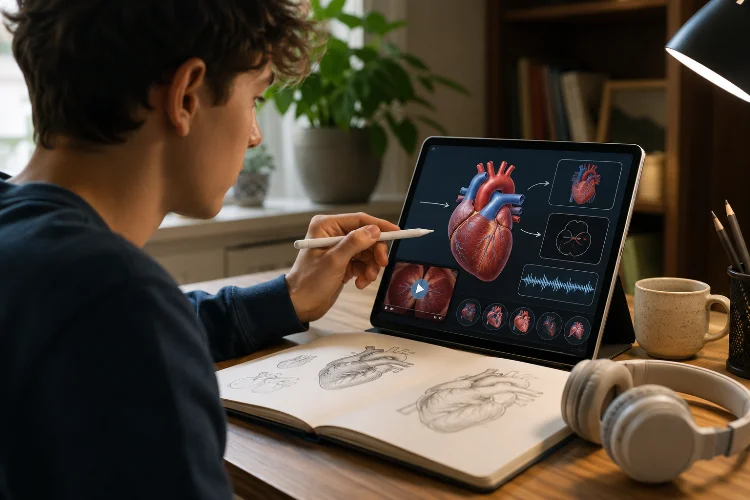
Think about trying to learn how the human heart pumps blood using nothing but a long paragraph.
You could probably understand it eventually, but a simple diagram showing the chambers, valves, and direction of blood flow would make the process much easier to picture.
That is where multimedia becomes useful in online education. Text remains an excellent learning tool, but some ideas are easier to understand when learners can also see, hear, or interact with them.
Videos can demonstrate physical processes, diagrams can reveal relationships, audio can model pronunciation, and animations can show changes that happen over time.
Research into multimedia learning explores how combinations of words and pictures can promote deeper understanding when they are designed carefully.
Richard Mayer’s work, for example, identifies principles including coherence, signaling, segmenting, and modality for managing how learners process multimedia information.
Understanding how multimedia can improve understanding in online lessons is therefore not about filling courses with flashy media. It is about choosing the right format for the idea being taught.
1. Multimedia Can Make Abstract Ideas More Concrete
Some concepts are difficult because learners cannot easily imagine what is happening.
Consider plate tectonics.
A paragraph can explain that Earth’s lithosphere is divided into moving plates, but an animation can show those plates pushing together, separating, or sliding alongside one another.
The visual does not replace the explanation. It gives learners another way to build a mental model.
The same principle works across many subjects.
A chemistry lesson can animate molecular interactions. A mathematics course can show a graph changing as variables are adjusted. A programming tutorial can visually trace information moving through a loop.
Mayer’s multimedia-learning framework is built around the idea that learning can benefit when carefully coordinated words and pictures help learners construct understanding rather than relying only on verbal information.
The important word is carefully.
Adding an unrelated photo beside every paragraph does not automatically improve the lesson. The media should help explain the concept.
2. Video Works Well When Learners Need to See a Process
Video is particularly useful when something needs to be demonstrated.
Imagine learning how to use a microscope entirely from written instructions. The text could explain each step, but watching someone adjust the focus, position a slide, and change magnification provides information that is difficult to communicate through words alone.
The same applies to cooking, laboratory experiments, exercise techniques, drawing, software demonstrations, machinery, and many practical skills.
However, online lessons do not always need long videos.
A focused three-minute demonstration may be more useful than a 30-minute recording containing introductions, unrelated discussion, and repeated explanations.
Break Longer Videos Into Sections
Segmenting allows learners to process information in smaller stages.
Mayer’s multimedia-learning principles include a segmenting principle, which addresses presenting multimedia material in learner-manageable parts rather than as one uninterrupted presentation.
For example, a Photoshop lesson could be divided into Opening an Image, Making a Selection, Creating a Mask, and Exporting the Result.
That structure also makes review easier. Learners can return directly to the part they have forgotten.
3. Diagrams Can Explain Relationships Quickly
A good diagram can sometimes replace several paragraphs of explanation.
Consider a lesson about the water cycle.
Showing evaporation, condensation, precipitation, and collection inside one labeled visual helps learners see that these processes are connected rather than four unrelated definitions.
Diagrams are also useful for hierarchies, timelines, systems, comparisons, and processes.
A business course might use a flowchart to show how an online order moves from checkout to payment, inventory, shipping, and delivery.
However, labels should stay close to the elements they describe whenever practical. Learners should not constantly move their attention between a diagram and a seperate list of explanations.
Research on multimedia design includes spatial-contiguity and signaling principles that deal with keeping related information together and highlighting essential organization.
Simple visual cues such as arrows, highlights, or headings can direct attention toward what matters most.
4. Audio Is Powerful When Sound Is Part of the Skill
Some subjects cannot be taught properly without hearing them.
Language learning is an obvious example.
A written word can show spelling, but audio communicates pronunciation, rhythm, stress, and intonation.
A music lesson can demonstrate differences between chords. A wildlife course can teach bird calls. A communication class can let learners hear how tone changes the meaning of the same sentence.
Audio can also accompany visual explanations when that combination genuinely supports the topic.
Still, narration should not become background noise.
If learners need to concentrate on a complicated visual, unnecessary spoken information can increase the amount of material they must process simultaneously.
Research on cognitive load and multimedia learning emphasizes that working memory has limited capacity, so instructional materials should avoid unnecessary demands that compete with essential information.
The goal is clarity, not sensory overload.
5. Interactive Media Encourages Learners to Explore
Multimedia does not have to be something learners only watch.
Interactive elements can let them manipulate information.
Imagine an astronomy lesson where students move a planet closer to or farther from a star and observe how its orbital period changes.
Or consider a finance lesson containing an interactive compound-interest calculator. Learners could adjust the starting investment, interest rate, and number of years to see how each variable changes the final amount.
These experiences turn an explanation into an experiment.
Interactive media works particularly well when students can make predictions before seeing the result.
For example:
What happens to the graph if the interest rate rises from 4% to 8%?
The learner makes a prediction, changes the value, sees the result, and compares it with their expectation.
That short cycle encourages more active thinking than simply being shown the answer.
Keep the interaction practicle, though. Dragging objects around a screen purely because the technology allows it does not necessarily produce better learning.
6. Too Much Multimedia Can Make Learning Harder
There is a tempting assumption that if one diagram helps, five diagrams must help even more.
That is not how learning works.
A page containing autoplay video, background music, animated characters, flashing labels, decorative photographs, and several blocks of text may contain plenty of multimedia while communicating very little.
The learner’s attention becomes divided.
Mayer’s coherence principle states that learners can learn more deeply when unnecessary material is excluded from multimedia instruction rather than included.
Cognitive-load research makes a similar point: instructional material can become less effective when it places unnecessary demands on limited working-memory resources.
Before adding any media element, ask:
What does this help the learner understand?
If there is no good answer, remove it.
Clean multimedia design often means showing fewer things more intentionally.
7. Captions and Transcripts Make Multimedia More Accessible
A video lesson should not require learners to hear every spoken word.
Captions provide access to spoken content for deaf and hard-of-hearing learners. WCAG 2.2 requires captions for prerecorded audio content in synchronized media under its Level A criterion, with specific exceptions.
Captions can also help people studying in noisy places, learners using a second language, or anyone who wants to verify an unfamiliar technical term.
Transcripts offer another advantage.
Someone reviewing a 25-minute lecture can search the transcript for a particular concept instead of replaying the entire recording.
W3C recommends providing captions and separate transcripts when planning accessible audio and video media.
Images deserve similar attention.
If a diagram contains essential educational information, learners who cannot see it need an accesible alternative that communicates the important meaning.
Accessibility should be planned while creating multimedia rather than added only after the course is finished.
8. Choose Media Based on the Learning Objective
Not every topic needs every format.
Suppose the objective is to teach students the definition of inflation. A short written explanation and one practical example may be enough.
If the goal is to show how inflation changes purchasing power over several years, a graph could help.
If learners need to explore how different inflation rates affect savings, an interactive calculator might be even more useful.
The format follows the objective.
This approach also helps keep online lessons lightweight. Large videos and animations can create problems for learners using slow internet connections or limited mobile data.
UNESCO notes that digital learning can expand educational opportunities, but unequal access to connectivity, devices, and other resources remains an important challenge.
Where possible, provide alternatives.
A video can have a transcript. A large interactive graphic can include a simpler explanation. Important information should not disappear simply because a learner has limited bandwidth.
9. Combine Multimedia With Practice and Feedback
Multimedia becomes more powerful when learners have to use what they just saw or heard.
After showing an animation of the water cycle, ask students to arrange the stages in the correct order.
After playing pronunciation audio, let learners choose which written word matches the sound.
After demonstrating spreadsheet formulas, provide a small dataset and ask students to calculate the result themselves.
This changes multimedia from entertainment into instruction.
The activity does not need to be complicated.
Even one question such as “Why did this happen?” after a demonstration encourages learners to process the information rather than simply continue scrolling.
Feedback completes the process.
If a learner answers incorrectly, explain the misunderstanding and direct them back to the relevant part of the lesson.
A strong digital learning enviroment therefore follows a simple rhythm:
Explain → Show → Practice → Feedback → Continue
Multimedia plays an important role, but it remains one part of the larger learning experience.
Multimedia can improve online lessons when it makes ideas easier to see, hear, explore, and understand.
Videos are valuable for demonstrations, diagrams can reveal relationships, audio supports sound-based skills, animations can show change over time, and interactive elements let learners experiment with concepts.
But more media does not automatically produce better education. Unnecessary visuals, sounds, or animations can create distraction and cognitive overload.
The best approach is to start with the learning objective and then choose the simplest medium that explains it effectively.
If you create online lessons, review one module and examine every image, video, animation, and audio clip.
Keep the elements that genuinely improve understanding, improve their accessibility, and remove anything that exists only for decoration. Good multimedia should make learning clearer-not simply make the screen busier.